WICHTIG: Softwareversion beachten
SketchUP 17.2.2555 (2017)
Ultimaker CURA 4.8.0 (10.11.2020)
-Neuere Versionen können *.dae Exporte von SketchUP nicht lesen!!
Layer Height (mm)
0.04375 (results may vary)*
0.0875
0.13125
0.175
0.21875
0.2625
0.30625
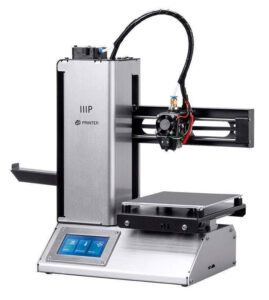
t least, that’s how it’s been up till now. Modern slicer software is starting to test the waters of adaptive layer heights, which change the layer height during the print. So the software will raise or lower the layer height depending on the level of detail required for the current area being printed. [Dylan Radcliffe] wanted to experiment with this feature on his Monoprice Select Mini, but it took some tweaking and the dreaded mathematics to get Cura’s adaptive layer height working on the entry-level printer. He’s documented his settings for anyone who wants to check out this next-generation 3D printing technology without forking out the cash for a top of the line machine.
While Cura is a popular slicer, the fact of the matter is that it’s developed by Ultimaker primarily for their own line of high-end printers. It will control machines from other manufacturers, but it makes no promises that all the features in the software will actually work as expected on lesser printers. In the case of the Monoprice Mini, the issue is the rather unusual Z hardware. The printer uses a 7.5° 48-step motor coupled to 0.7 mm thread pitch M4 rod. This is a pretty suspect arrangement that was no doubt selected to keep costs down, and results in an unusual 0.04375 mm step increment. For the best possible print quality, layer heights should be a multiple of this number. That’s where the math comes in.
After enabling adaptive layers in Cura’s experimental settings, you need to define the value which Cura will add or subtract to the base layer height. In theory you could enter 0.04375 mm here, but while that’s the minimum on paper, the machine itself is unlikely to be able to pull off such a small variation. [Dylan] recommends doubling that to 0.0875 for the “variation step size” parameter, and setting the base layer height to 0.175 mm (4 x 0.04375 mm).
Besonderheit des Objekts (und des Cura-Slicings) war
eine große Grundfläche (116*116mm mit vielen Schlitzen darin)
viele Retracts: Cura machte jede der drei Runden um jeden Schlitz einzeln, immer mit einem Retract dazwischen.
Meine Vermutung ist, dass die Kühlung des Extruders nicht ausreichend war (die hatte ich experimentell heruntergesetzt, um die Druckbetthaftung zu verbessern). Ein Einstellen der „Initial Fan Speed“ auf 80% lieferte dann einen erfolgreichen Druck.
https://www.elektronikpraxis.de/10-tipps-fuer-bessere-3d-druckqualitaet-a-cfc0d155e7f7efd1e041989569f81be8/